Mission/Proposal Abstract
The Problem
Parents, like myself often have some sort of behaviour chart at home that serves as a tracking system where children can earn points or stickers for good behaviour and also get them taken away for bad behaviour. Personally I have a magnet board with magnets shaped like happy faces. When they earn a certain amount of happy faces, they receive a larger reward of a trip to the toy store.
Some people may frown on this kind of parenting and call it bribery but I call it rewarding positive behaviour and believe me it works!! So this works great for us at home but what about when we are out at a restaurant, trip or anywhere else away from home? I have often kept track using a pen and paper but it would be great to have an online chart that parents or caregivers could access on a mobile device anytime, anywhere.
The Solution
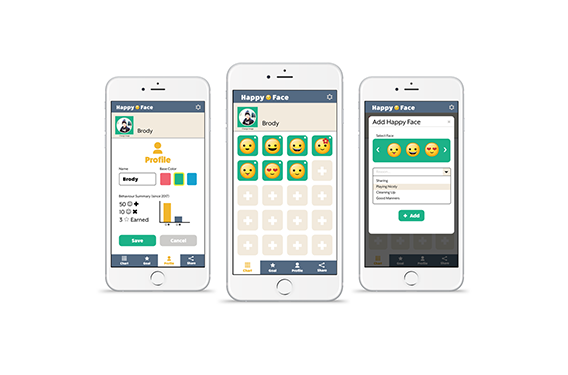
A mobile website application that allows parents to track good and bad behaviour of their children on the go. Parents would be able to set up profile for each of their children and add or take away virtual reward stickers according to their behaviour.
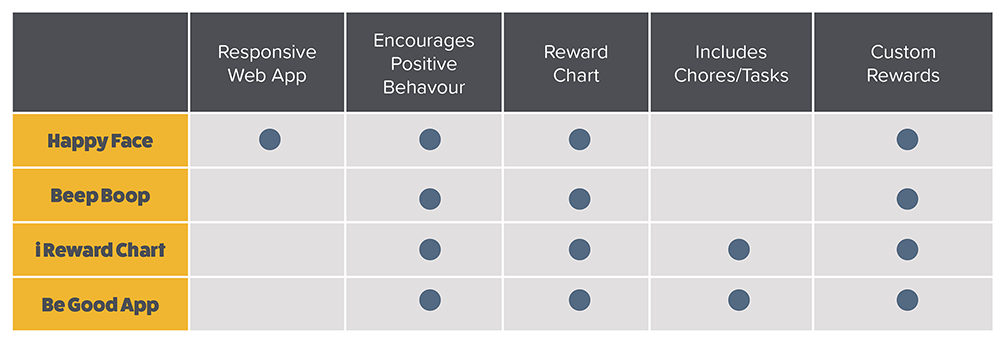
Competitive Analysis
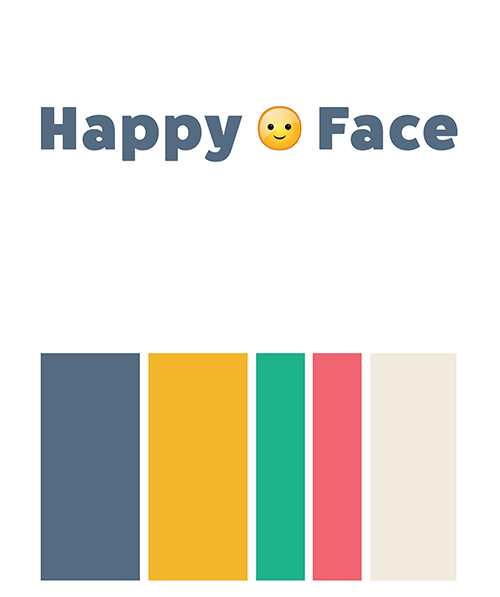
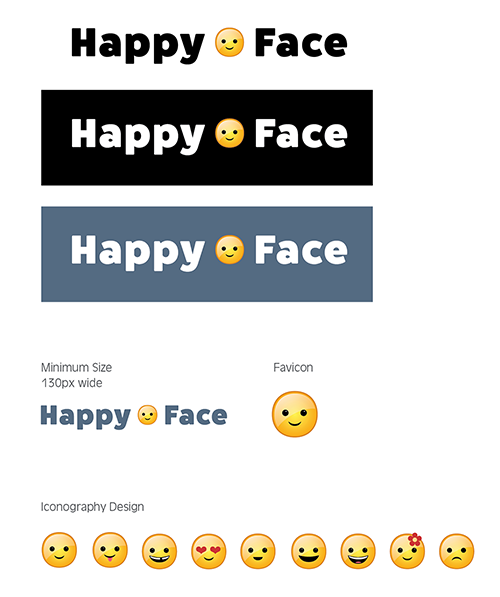
Visual Design
Target Audience
Primary
- Many households with children are cluttered with an excess of toys
- Children become very attached to their toys and find it hard to part with them making it difficult for parents to donate them to charity
- Parents want to teach their children about charity and encourage them to give but they are not sure how
Secondary
- Caregivers
- Can be a wide range of ages
- Babysitters, nannys, grandparents, realtives
- Expext good behaviour from the children
- Respect the parent’s desire to keep consistency with discipline strategies
Personas/User Taskflows
James
Age: 38 years old
Children: 4 and 6 years old sons
Mobile Experience – moderate
Interestes: travel, reading, soccer
Scenario
James was complaining to a coworker about his children misbehaving when they are outside the home. The coworker reccommended an app she uses called “Happy Face” that is essentially an online sticker chart for tracking good and bad behaviour from your mobile device. James decides to check it out and create profiles for each of his children.
Task Flow 1
James has already created an account and is now logged in. His task is to create a profile for one child.

Brenna
Age: 34 years old
Children: Aunt to a 2, 4 and 6 year old
Mobile Experience – advanced
Interestes: reading, painting, crafts, social media
Scenario
Brenna often babysits her nieces and her sister showed her the happy face app they have been using as a method of positive discipline. Brenna’s sister gave her the log in information so that she too could reinforce good behaviour in the children. While out at the park, Brenna’s oldest niece helps her younger sister climb up to the slide. Brenna would like to acknowlege her niece’s helpfulness with taking care of her sister by adding a ‘happy face’ to her chart.
Task Flow 2
Brenna’s task is to add a ‘happy face’ to her oldest niece’s chart.

Lisa
Age: 32 years old
Children: 3 year old son
Mobile Experience – advanced
Interestes: blogging, cooking, tennis
Scenario
Lisa’s friend told her about the happy face app and she decided she would like to try it out to see if it would help manage her sons behaviour. She is finding the parenting strategies she has used in the past are not working as well now that he is preschool age. She creates an account and profile for her son and in this task sets a goal for him to work towards.
Task Flow 3
Together with her son, Lisa sets a goal and reward to work towards.

Wireframe Sketches
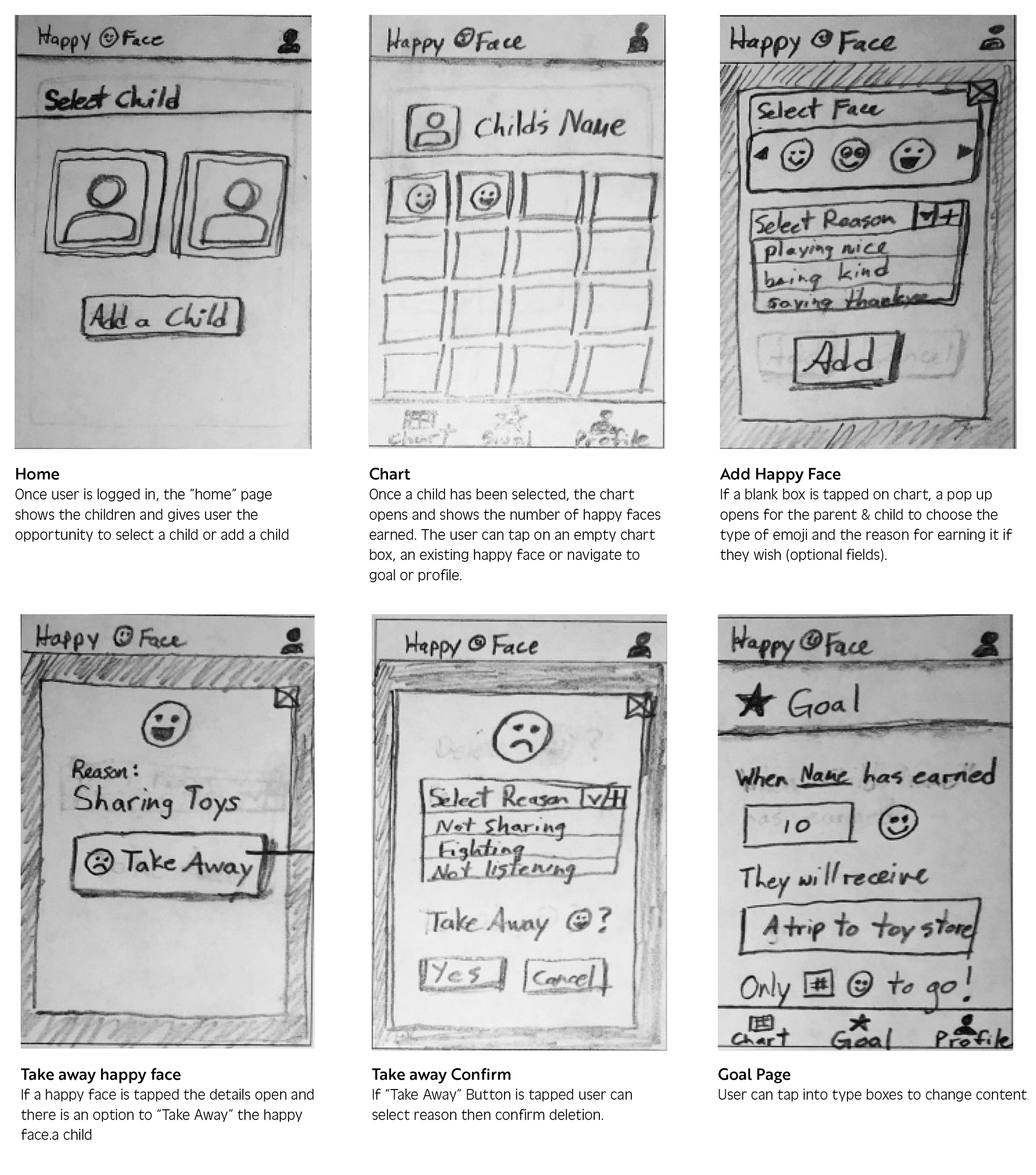
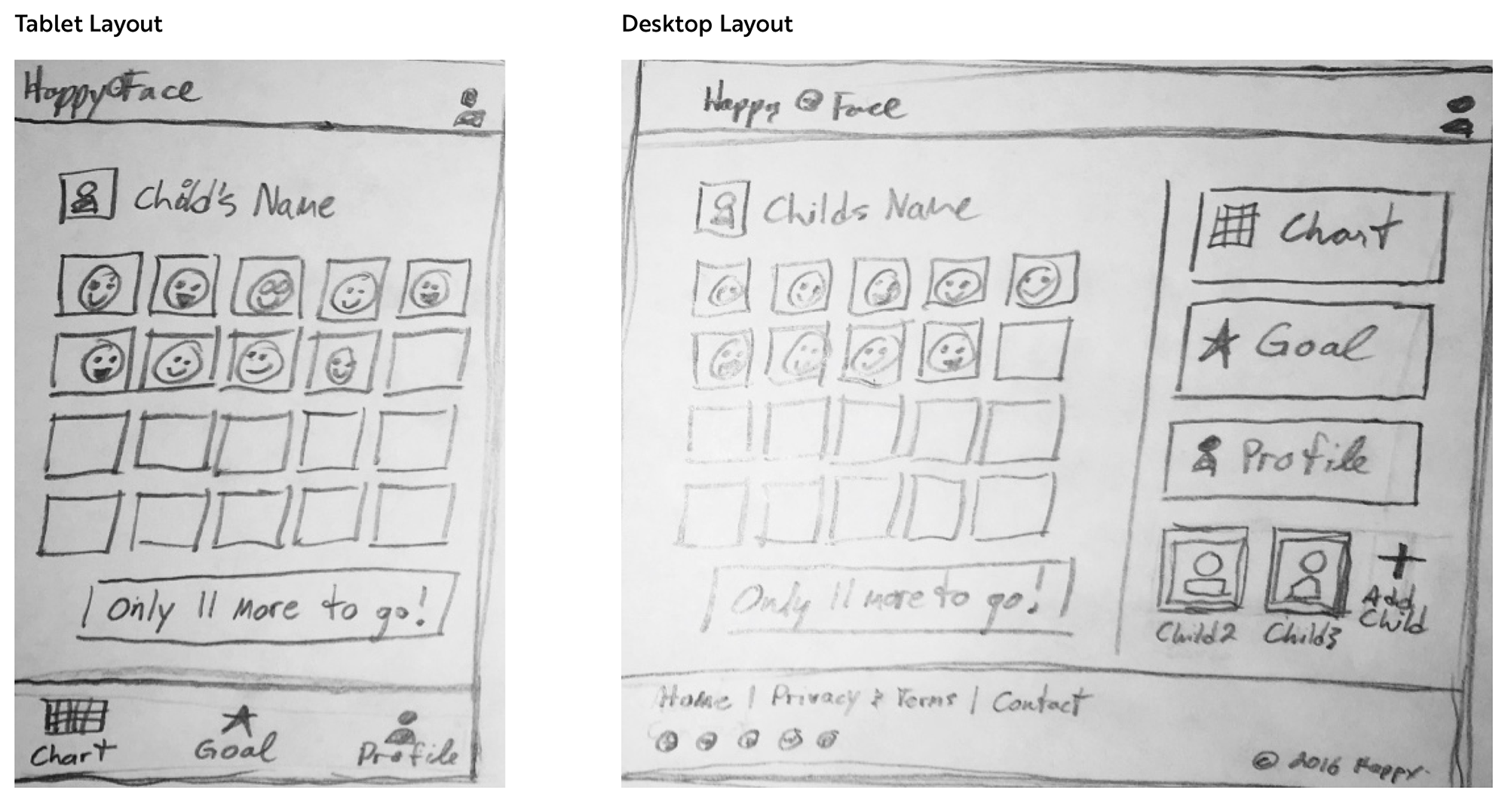
Wireframes – High Fidelity
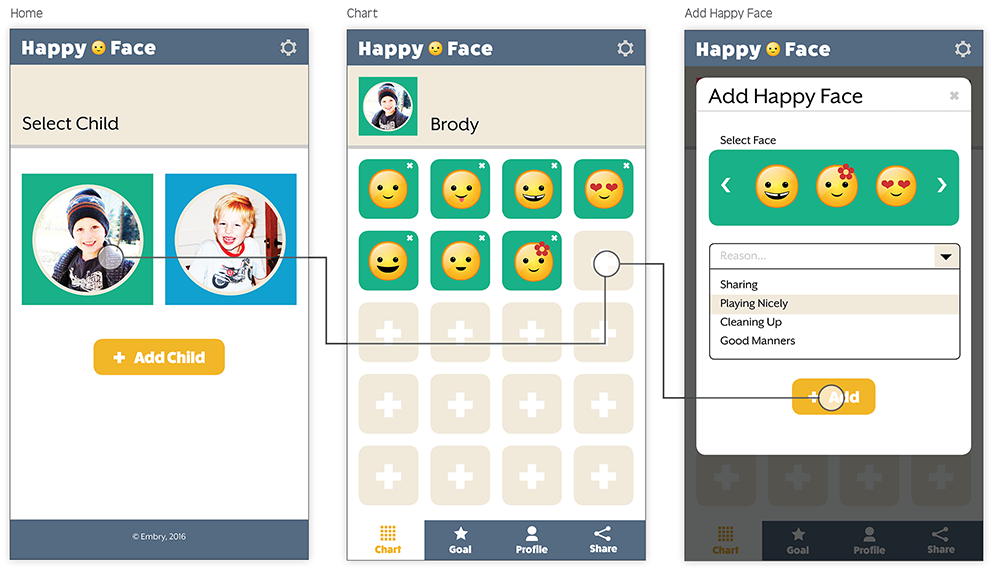
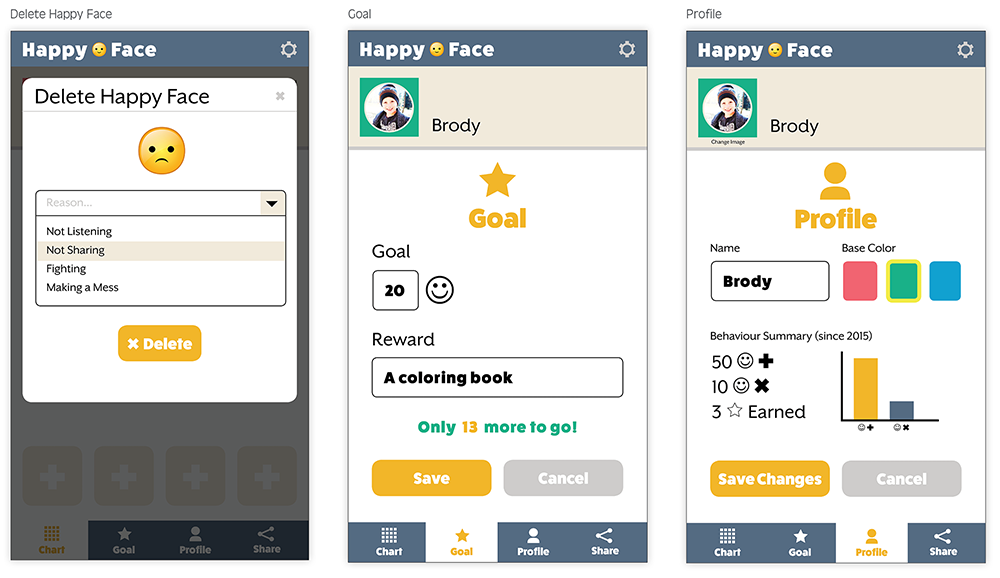
User Testing
What I Tested
I tested the prototype for my Happy Face App. I asked four family members to try the prototype of my app to see if they were able to successfully complete the following tasks:
- User can create child profiles
- User can add or take away happy faces from the Chart
- User can add or take away happy faces from the Chart User can enter and edit details of the Goal
Where I Tested
Testing was done in informal settings at home and coffee shops.
Target Audience
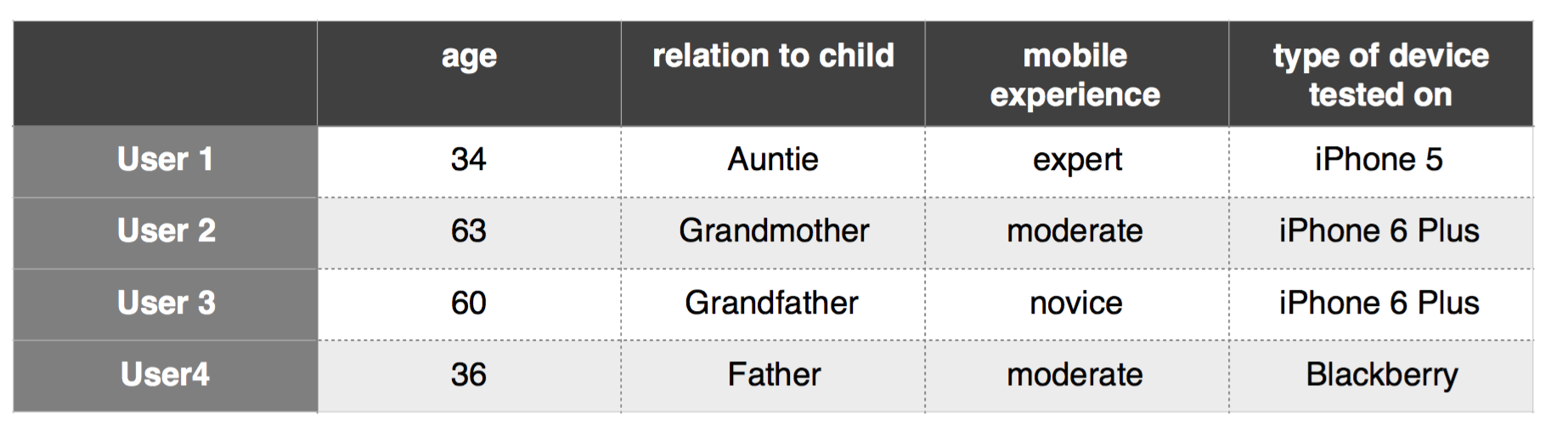
All of my test users fell into the category of being parents relatives of children under the age of 10.
Test Questions
- Here on the home page, how would you create a profile for your child?
- From the home page, if you wanted to give a child a happy face where would you click?
- From the chart page, where would you click to give a child a happy face?
- From the chart page, where would you click to take away a happy face?
- From the chart page, where would you click to edit the goal?
Test User Personas
Test Results
Conclusion
The test users varied in age, device types and mobile experience, they were however all in my target audience of parents or relatives of children under the age of 10.
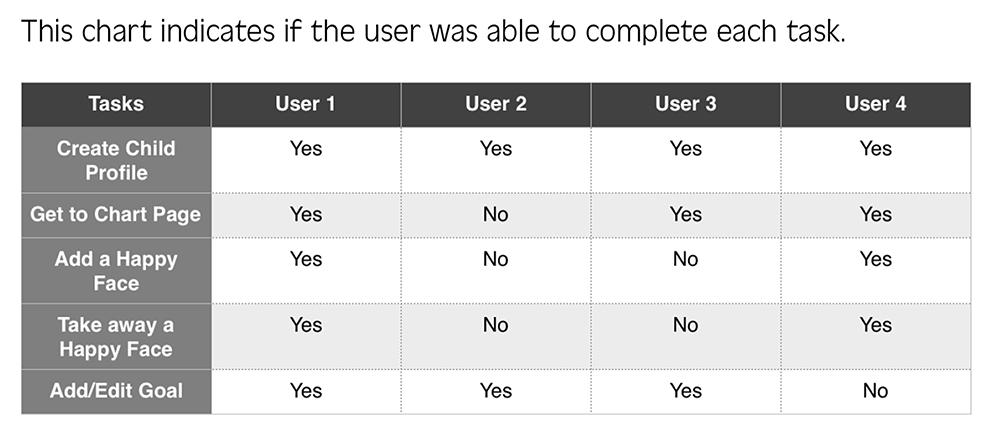
The test users were able to easily complete the tasks of creating a child profile and adding or editing a goal.
Two of the users found it difficult to add and take away happy faces.
Since the task of adding and taking away happy faces is a key task flow, I chose to make adjustments to my final design by adding buttons at the top of the chart to either add or take away, which will add clarity and improve the user experience.