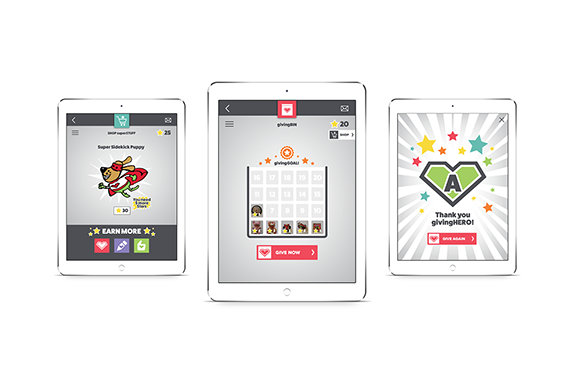
The Problem
- Many households with children are cluttered with an excess of toys
- Children become very attached to their toys and find it hard to part with them making it difficult for parents to donate them to charity
- Parents want to teach their children about charity and encourage them to give but they are not sure how
The Purpose
- To teach kids about giving and make the donation process fun and rewarding
- Increase toy donations to local charities and bring awareness to their needs
- Help parents de-clutter their homes
- Bring families together through philanthropy and special experience rewards
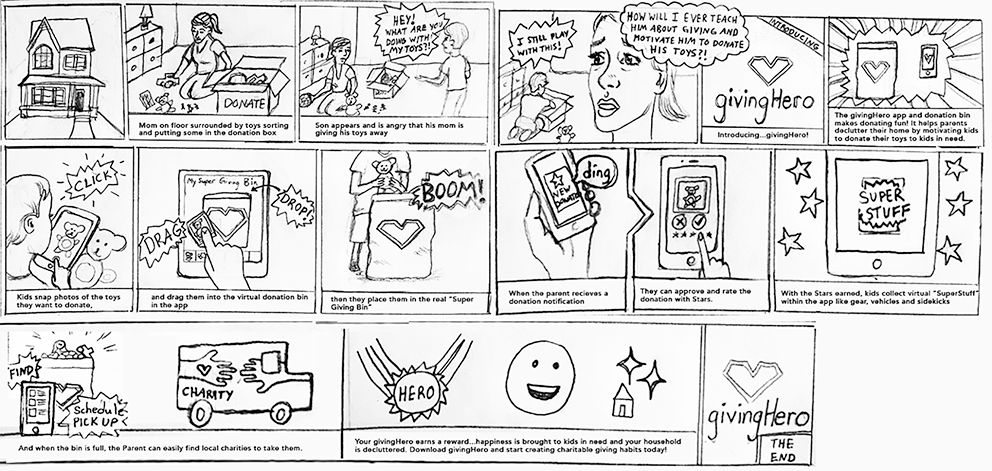
Concept Video and Storyboard
Rationale
How is it unique?
- Goal chart with a focus on charitable giving
- Donation tool specifically geared for kids ages 6–12
- The “Giving Journal” and “My Charity Work” further the concept of giving and gratitude by tracking their feelings and contributions
- Includes a searchable directory of local charities which brings awareness to unknown local causes
How does it help?
- Teaches kids about charity and encourages them to give
- Helps parents declutter and makes donating easier through charity listings
- Increases donations and brings awareness to local charities
- Encourages family togetherness through philanthropy and special family activity rewards
- Helps parents de-clutter their homes activity rewards
Target Audience and User Survey
Primary
- Kids ages 6–12
- Likes positive reinforcement
- Has an excess amount of toys
- Responds to goal charts
Secondary
- Parents ages 30–45
- Majority mothers
- Desire to teach their children about the importance of giving and make them more appreciative of what they have
- Disposable income
- Generous
- Want to declutter their homes
- Want to make a difference and give back
Survey Results
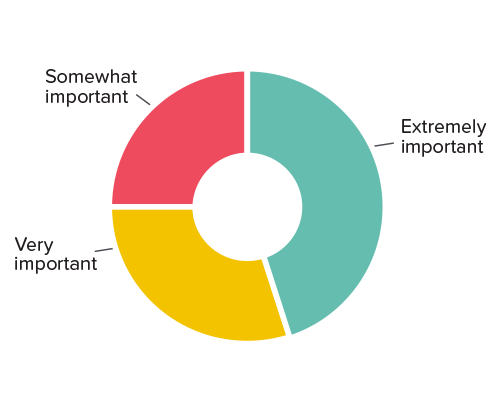
100%
of parents surveyed felt it is important, to some degree, to teach their children about charity
38%
said it was extremely important
33%
said it is very important and
29%
said it is somewhat important
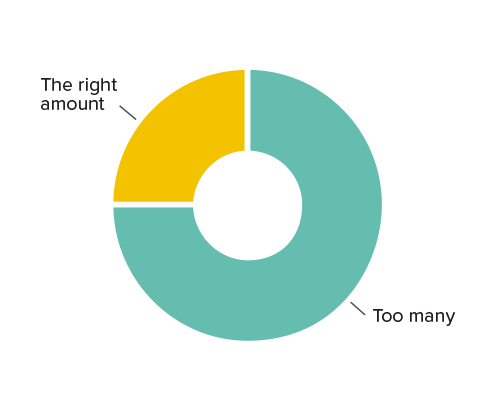
79%
of the parents felt they had too many toys in their household
42%
of the parents surveyed found it difficult to convince their children to donate their used toys
* 24 parents were surveyed. The majority of them between ages 30-39. Their children’s ages between 1 and 12 years old. Note: Charts are from SurveyMonkey results.
How important is it to teach your children about charity?
How many toys are in your household?
Personas
Moodboard
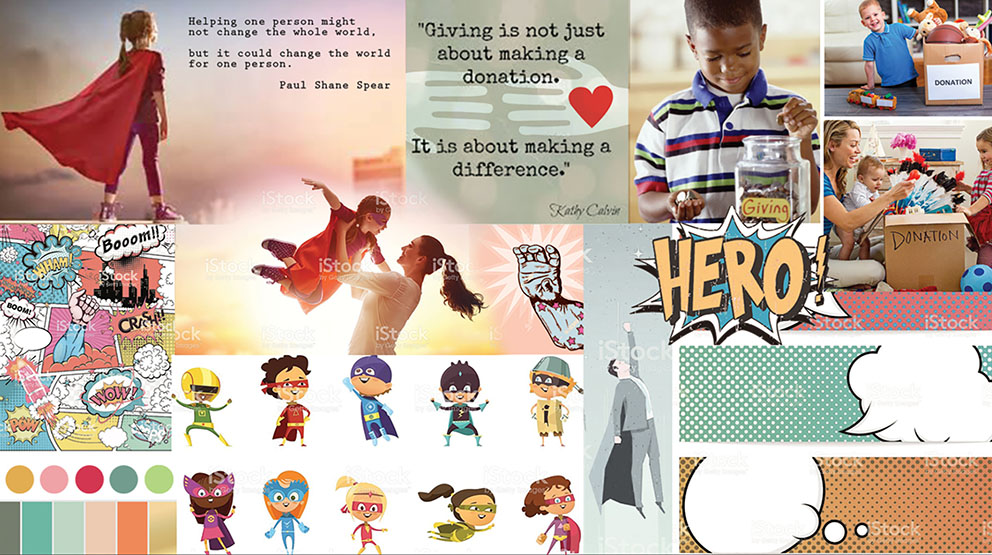
Visual Design
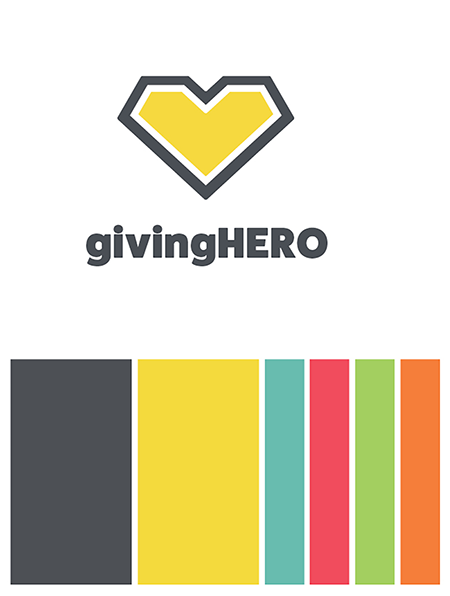
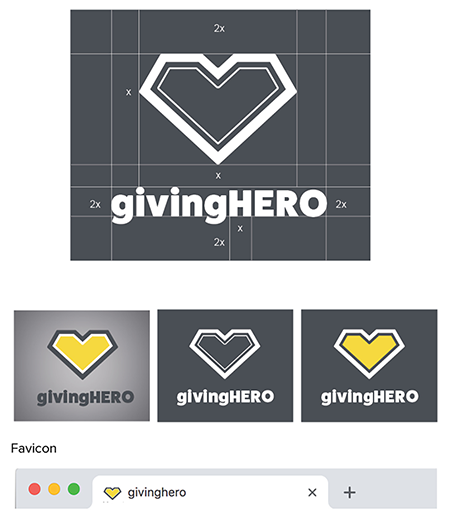
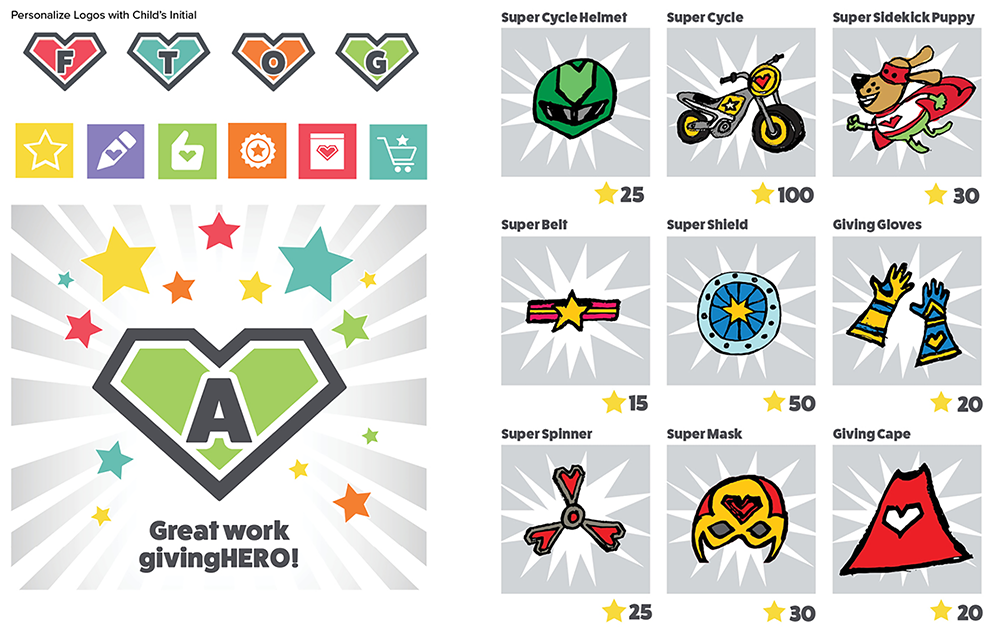
Iconography Design
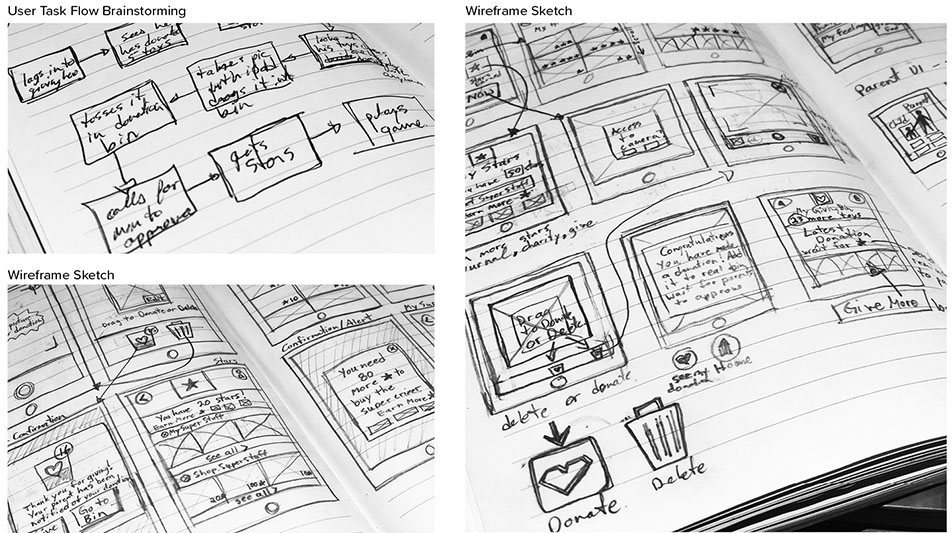
Taskflow and Wireframe Development
UX/UI Design
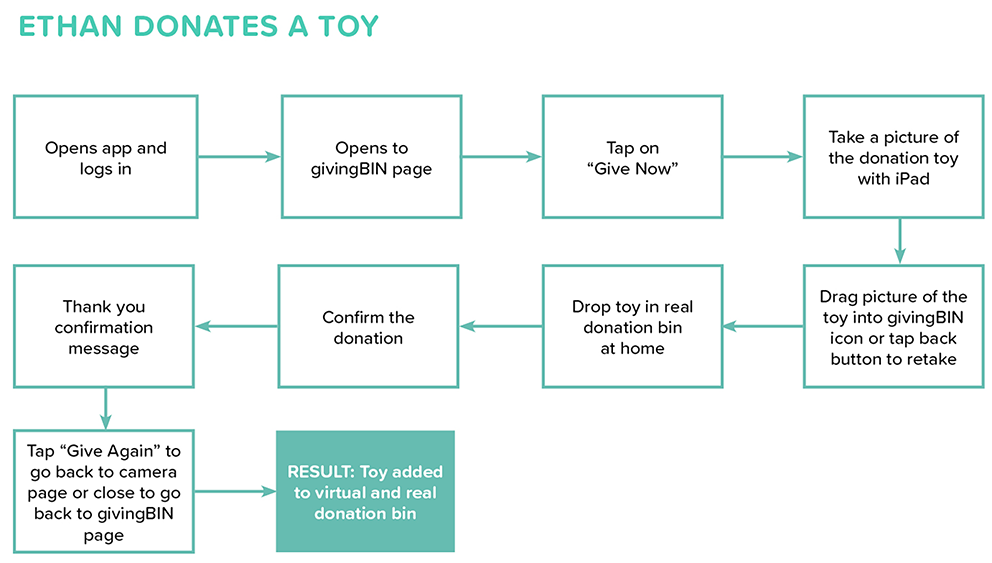
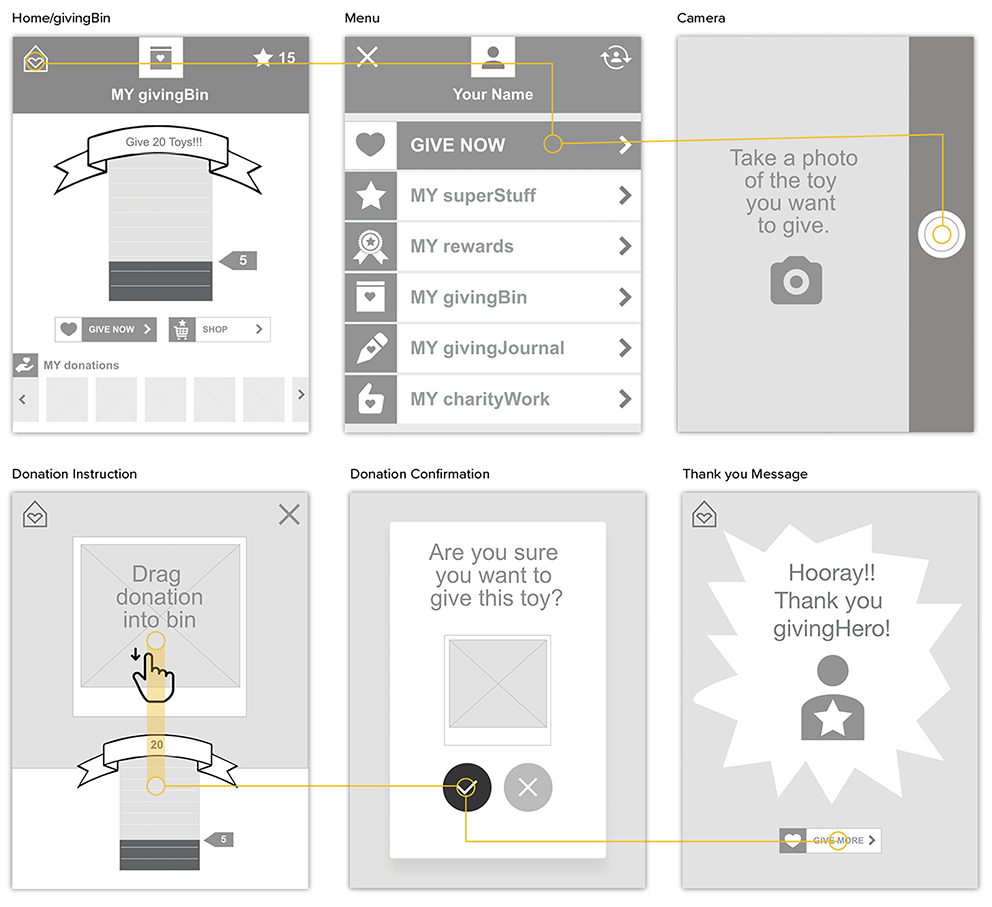
Scenario 1: Ethan adds a toy donation to the bin on the app
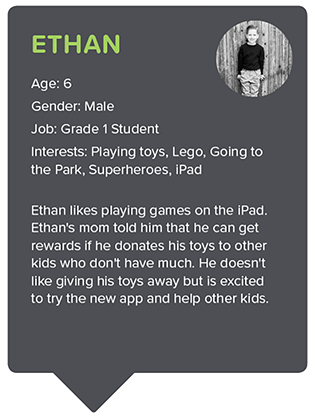
ETHAN
Age: 6
Gender: Male
Job: Grade 1 Student
Interests: Playing toys, Going to the Park, Lego, Superheroes, iPad
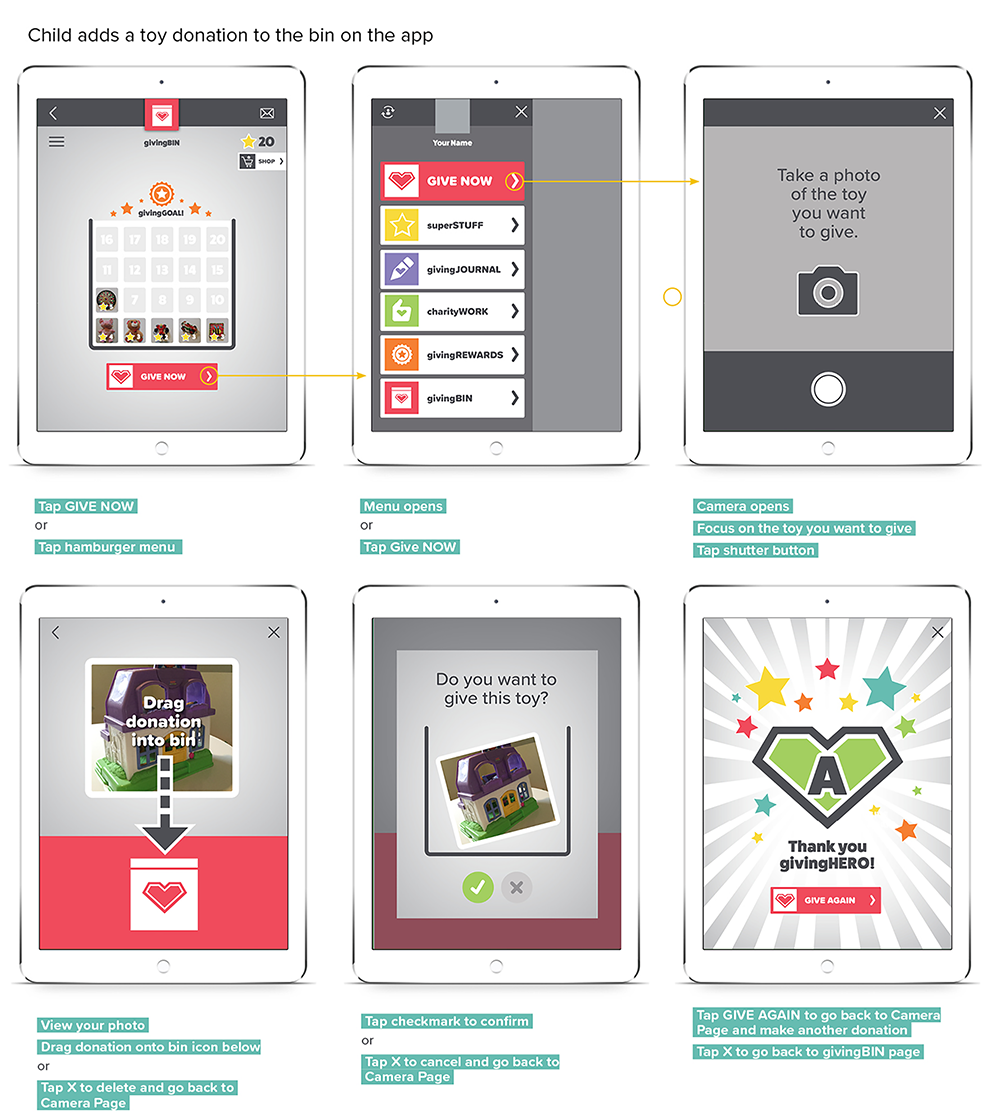
Ethan’s parents have downloaded givingHERO and set him up a profile. They have explained he has far too many toys that he no longer plays with and it is time to donate them to kids who don’t have many toys. Ethan and his parents set up a new “givingBIN” within the app and set a donation goal and reward. When he donates 20 toys he will get to go to the candy store with his family. Ethan is hesitant to give his toys away but understands he will be helping less fortunate kids by doing so and he is excited to work towards his reward.
Task 1: Ethan decides to donate a toy. After documenting his donation on the app and adding the toy into the physical bin, his mom is alerted to approve it and give him reward stars.
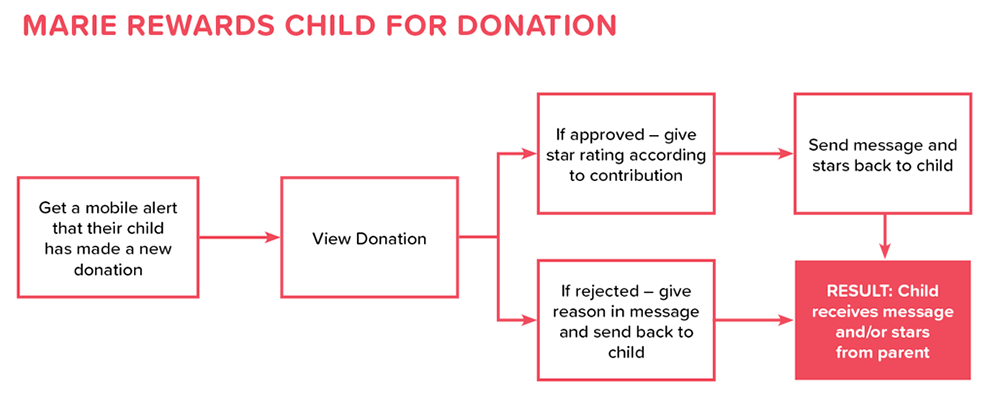
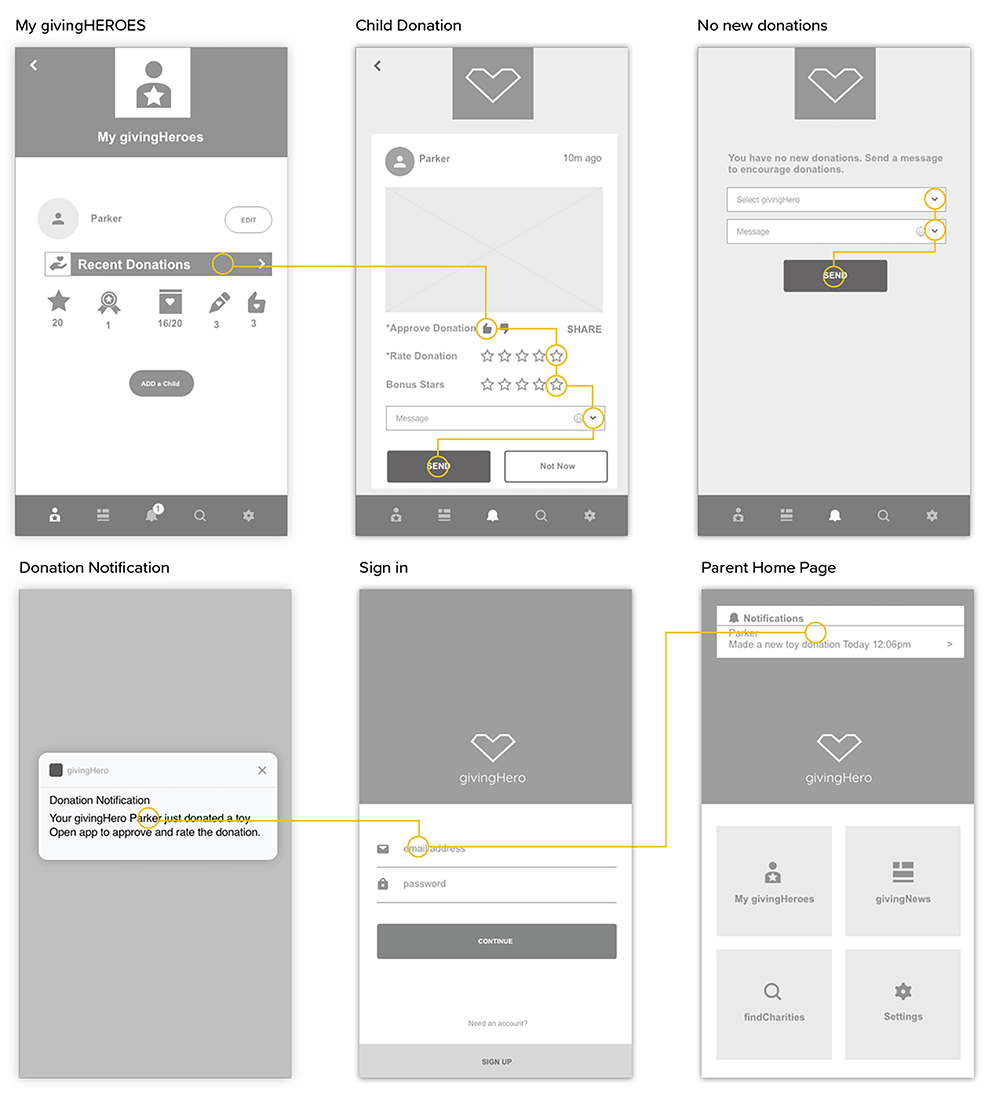
Scenario 2: Marie views a donation, approves it and rates it. 5 Stars are sent to the child.
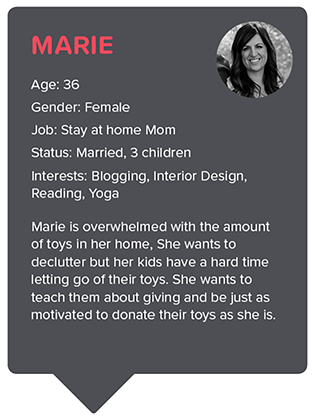
MARIE
Age: 36
Gender: Female
Job: Stay at home Mom
Status: Married, 3 children
Interests: Blogging, Interior Design, Reading, Yoga
Marie is tired of her house being cluttered with toys her kids no longer play with. She hears about the app givingHERO from a friend and downloads it onto her kids’ iPad and her smart phone. She creates profile accounts for 2 of her eldest children who are 6 and 8 years old. Together they decide on a reward of going out for ice cream once they have each donated 20 toys. Together, they make a donation bin by printing out personalized givingHERO logos and taping them onto a cardboard box. The kids also have fun decorating the box with markers and stickers. She briefly shows them how the app works and how to log in whenever they want to donate a toy.
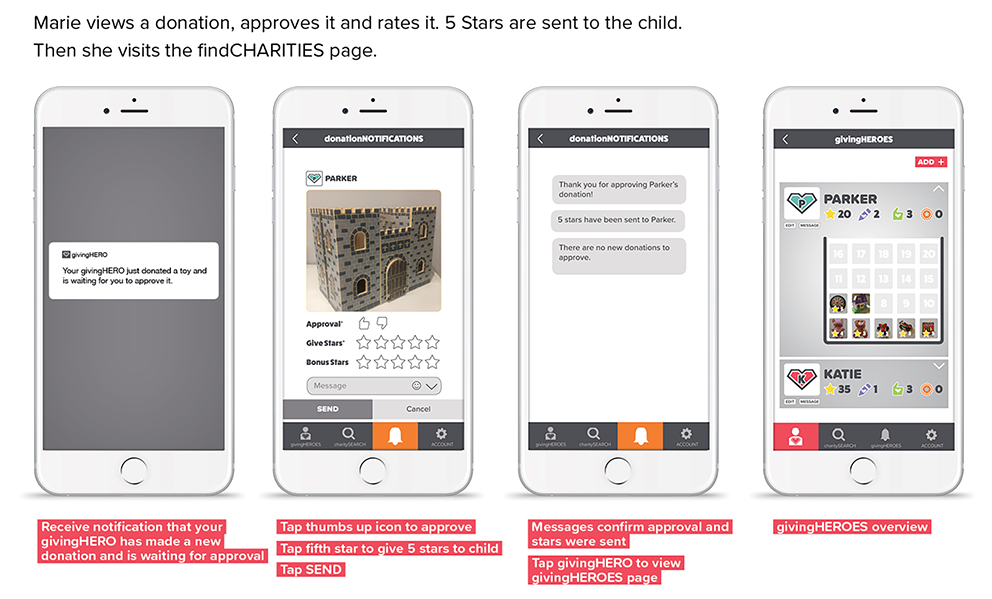
A few hours later, to her surprise, she receives a notification that her oldest son has made a new donation! With excitement, she opens the app and logs in.
In the following task, she views the donation, approves it and rates it with stars which are sent back to her son to spend in the virtual superSTUFF store. She also visits the givingHEROES and charitySEARCH pages.
Scenario 3 and 4: Parker visits superSTUFF store and makes a givingJOURNAL entry
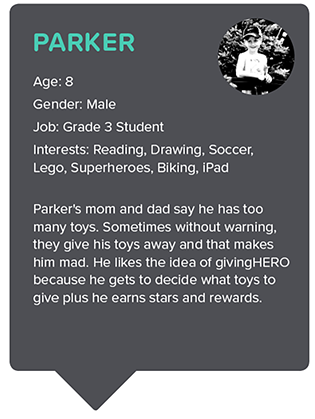
PARKER
Age: 8
Gender: Male
Job: Grade 3 Student
Interests: Reading, Drawing, Soccer, Lego, Superheroes, Biking, iPad
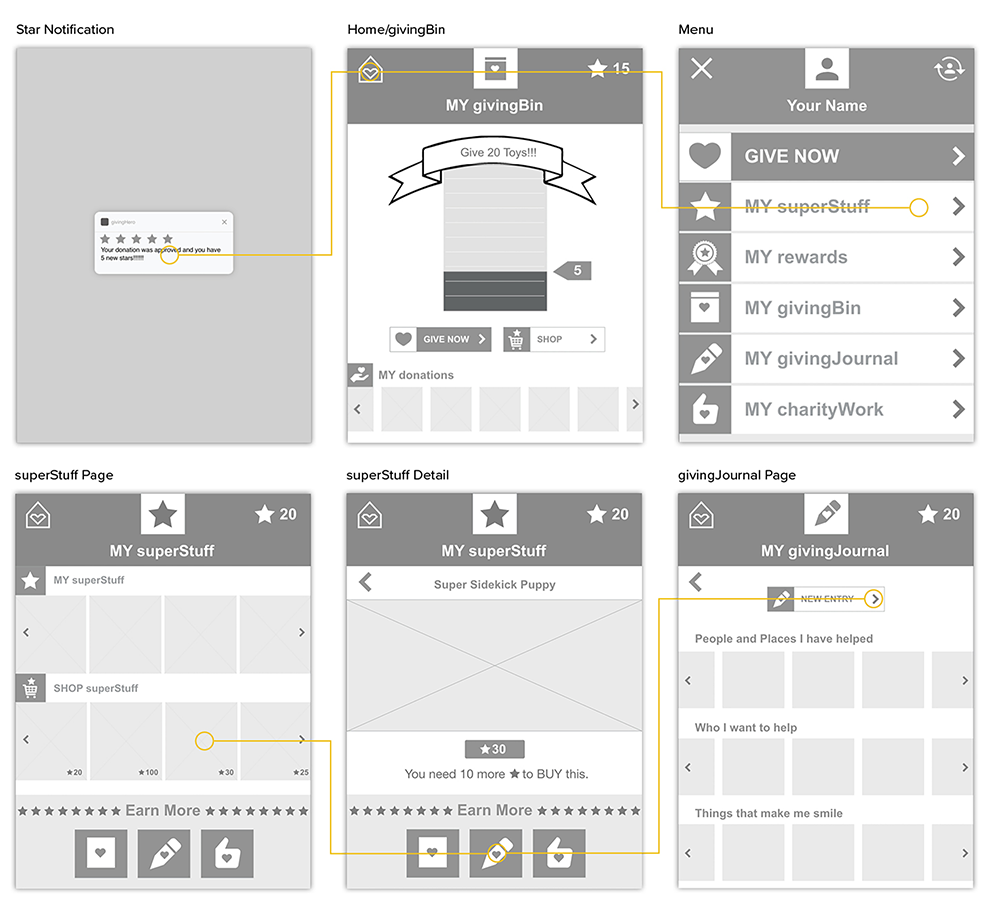
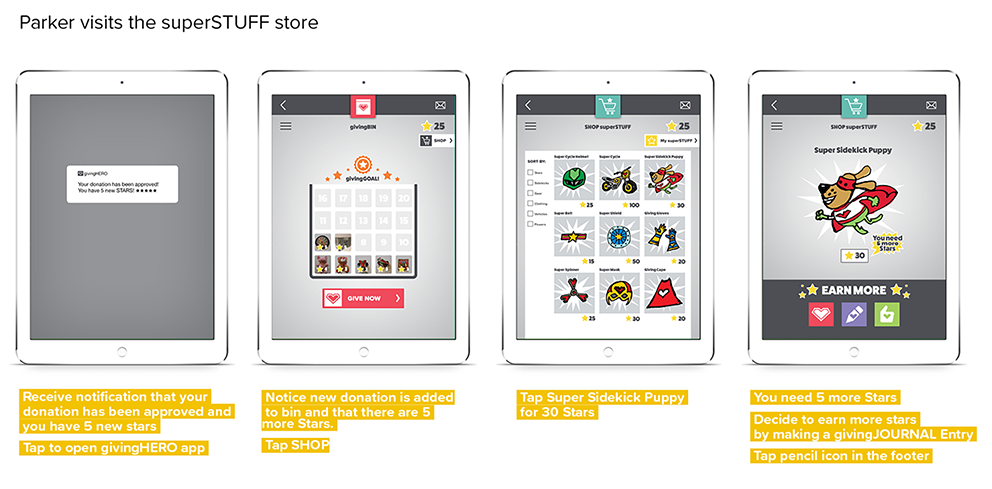
Parker’s parents introduced him to the givingHERO app and he has been donating a few toys. He is working towards his reward of going to dinner and a movie with his family. He likes that he earns stars for each toy he donates. He has looked at the superSTUFF Shop and wants the Super Sidekick Puppy but doesn't have enough stars yet. Parker just made a new toy donation and is waiting for his Mom to approve it and give him Stars.
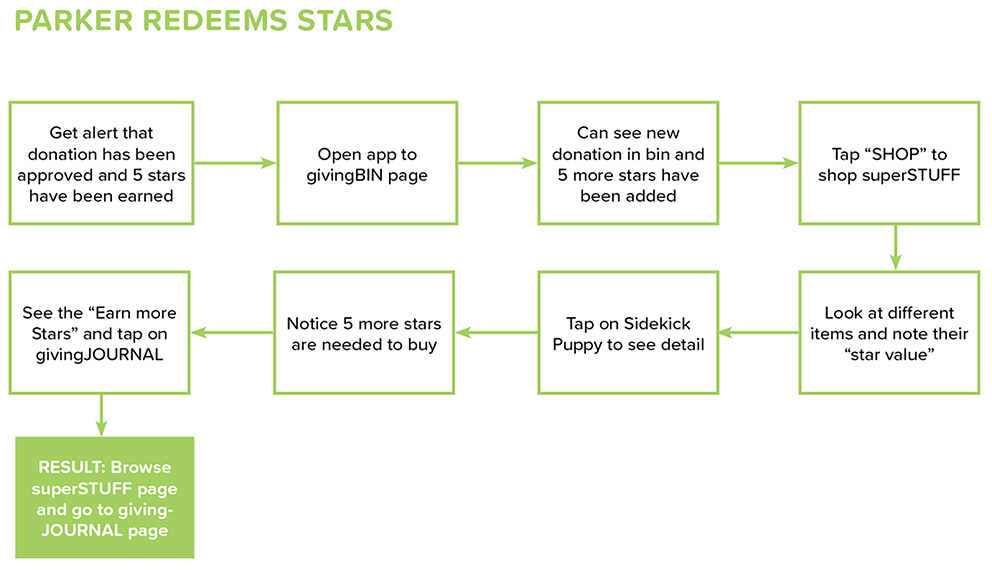
Task 3: Once approved he receives a notification that he has earned more stars which he uses to shop for superSTUFF.
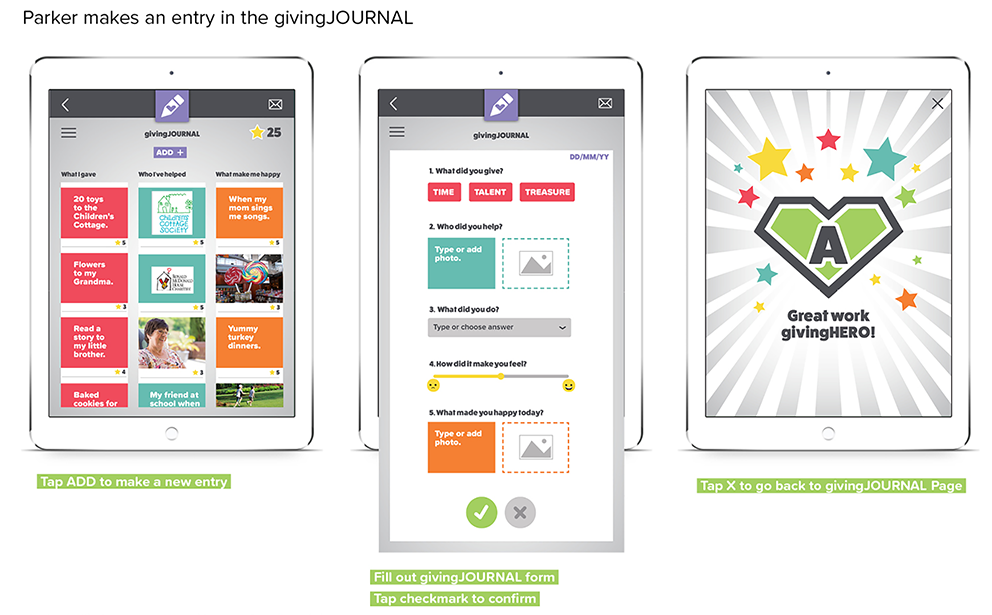
Task 4: He learns he needs 5 more stars to get the Super Sidekick Puppy so he decides to save his stars and make a new entry in his givingJOURNAL in order to earn more stars.
User Testing
Testing Dates: November 5 – 27, 2017
Test Type: Adobe XD Prototype
Child UI: Adobe XD Prototype iPad
Parent UI: Adobe XD Prototype iPhone
- Boy, 8y
- Boy, 6y
- Girl, 6y
- Girl, 5y
- Boy, 7y
- Mother, 36y
- Father, 38y
- Mother, 30y
- Mother, 29y
RESULT
Child users had difficulty finding where to click to donate a toy.
FIX
I reduced the amount of buttons and elements on the givingBIN page so the user could easily find the Give Now button. I also increased the size of the button.
RESULT
Child users had difficulty understanding the donation tracking graphic and what it represented.
FIX
I incorporated pictures of the actual toy donations in the bin graphic to make the donation tracker easier for kids to understand.
RESULT
Parent users had difficulty finding new donations.
FIX
Simplified the navigation by moving it to the footer. I also added the page names under the icons.